Migrate between regions
Temporal Cloud's High Availability features allow you to migrate a Temporal Cloud Namespace from one region or cloud provider to another with zero downtime.
Preparing to migrate
Namespaces using Export will need to stop Export and migrate the region configuration to the new region for Export jobs to continue after migration. See failover scenarios for details.
Using High Availability features affects pricing.
Steps to migrate
- Add a Namespace replica in the region you want to migrate to. See regions for a list of available regions and supported multi-region and multi-cloud configurations.
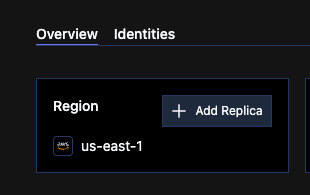
Add a namespace replica
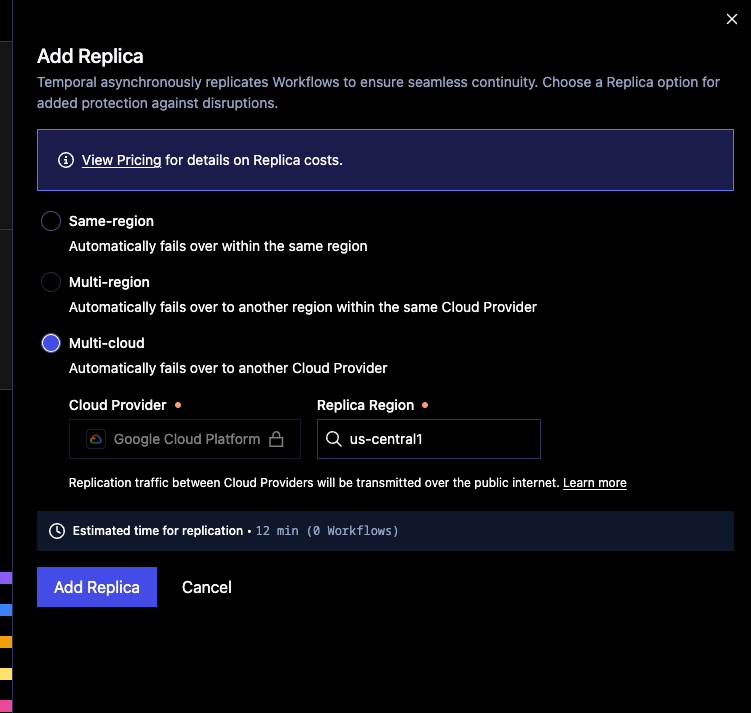
Choose the region for the replica
- Wait for the replica to become active. The Cloud UI will display a time estimate, and namespace admins will receive an email when the replica is active.
- If your workers are using API key authentication: ensure your workers (and all other client code) are updated to use the regional endpoint of the new replica.
- Trigger a failover to the new region.
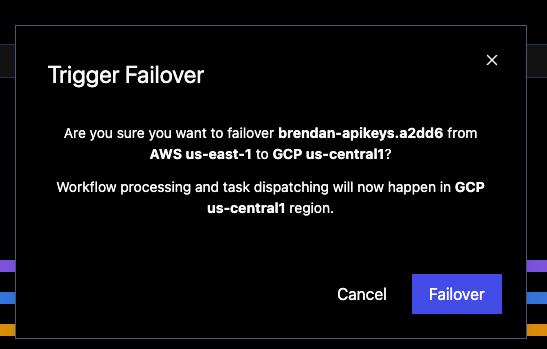
Initiate failover to the new region
- Remove the Namespace replica in the region you are migrating from.
note
If using API keys for worker authentication, you must open a support ticket to remove the replica.
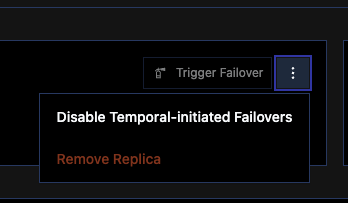
Remove the replica for the original region
note
All replica changes are subject to a cooldown period before further replica changes can be made.